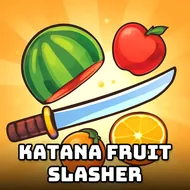
Katana Fruit Slasher
Instructions:
Mouse click or tap to playDescription
Katana Fruit Slasher Mobile & PC Control Guide
How To Play
- Click and drag across the screen with a mouse on desktop to swing your katana through incoming fruit.
- Swipe your finger across a phone or tablet screen to slice fruit using the exact same motion-based system.
- Chain multiple fruits into a single swing whenever they cluster close together to build toward a bigger combo.
- Pull back or redirect your swing the instant a bomb BAT appears among the falling fruit to avoid ending your run early.
The appeal here comes down to how satisfying a single well-placed slash feels, especially once several pieces of fruit line up and a single swing catches all of them at once. Vibrant, colorful visuals make every slice easy to track even when the screen fills up with a dense cluster of targets, and the underlying Unity-powered engine keeps that motion feeling smooth rather than choppy across longer sessions. Customizing your katana and gradually unlocking new blades gives repeated runs a small but steady sense of forward progress beyond just chasing a higher combo count.
Pro-Level Advice
- Watch the rhythm of falling fruit rather than reacting to each piece individually, since most waves follow a predictable pattern once you settle in.
- Save your fastest, widest swings for moments when several fruits appear at roughly the same height across the screen.
- Practice pulling back mid-swing when a bomb suddenly appears, since panicking and slicing through it anyway is the most common way runs end early.
- Unlock a new blade as soon as you can afford one, since even a small stat difference adds up across a longer combo streak.