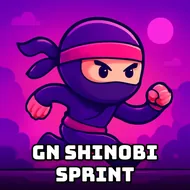
GN Shinobi Sprint
Instructions:
Press or touch the screenDescription
GN Shinobi Sprint Competitive-Style Breakdown
Pro-Level Advice
One tap, that's the whole toolkit, so the pressure lands entirely on timing rather than reflexes spread across ten buttons. Your ninja doesn't stop moving forward across those wooden planks, which means every bomb placement demands a decision made a half-second before it actually matters. Watch the pattern instead of the obstacle directly in front of you; bombs tend to show up in little rhythms, and once your brain locks onto that rhythm you'll start jumping almost before you consciously register the threat. Coins are nice for the score bump, but don't chase them into a bad landing. A dead run with fewer coins beats a flashy pickup followed by faceplanting into a fuse. Also, don't stare at your character's feet. Keep your eyes a bit further down the bridge so you're reacting to what's coming, not what's already under you.
Controller & Keyboard Guide
- Press anywhere on the screen or click your mouse to make the shinobi jump.
- Touch controls work the same way on mobile, so tapping the display is all it takes.
- No directional input exists; movement forward is automatic and constant.
- Timing your single input matters far more than speed or reaction spam.
- There's no pause-to-plan mechanic, so commit to a rhythm and stick with it.
Difficulty here creeps up quietly instead of smacking you in the face right away. The opening stretch feels almost lazy, plenty of space between bombs, coins practically lined up for you. Then the gaps tighten and the bombs start clustering closer together, and suddenly a game that felt like a warm-up turns into something that punishes even a half-second of daydreaming. It's not brutal in the way some click-timing games get needlessly cruel, but it's also not a game you can win on autopilot. Beginners will die a lot in the first few runs, and that's fine, honestly, since each attempt teaches you the spacing a little better than the last one did.